
If you have ever downloaded a file using Google Chrome, you may have seen a file ending with .crdownload and wondered how to open it. Many users think this file is broken or corrupted, but in reality, a CRDOWNLOAD file simply means the download is not finished yet.
This detailed guide explains what a CRDOWNLOAD file is, how to open it correctly, how to convert it, and how to fix common problems—all in simple, practical steps.
What Is a CRDOWNLOAD File?
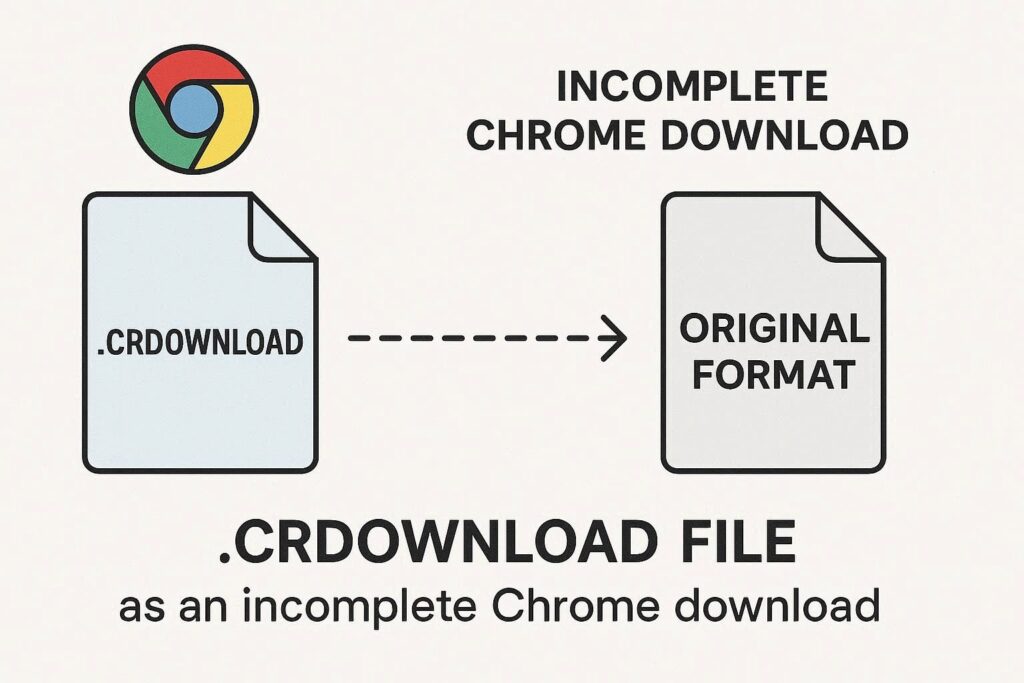
A CRDOWNLOAD file is a temporary download file created by Google Chrome. While a file is still downloading, Chrome adds the .crdownload extension to it. Once the download finishes successfully, Chrome automatically removes the extension and converts it into the original file format.
For example:
video.mp4.crdownload→video.mp4setup.exe.crdownload→setup.exe
So, a CRDOWNLOAD file is not a real file format—it is a partially downloaded file.
Why You Cannot Open a CRDOWNLOAD File Directly
CRDOWNLOAD files cannot be opened normally because:
- The download is still in progress, or
- The download was interrupted, paused, or failed
Since the file is incomplete, media players, document viewers, or installers usually cannot read it.
How to Open a CRDOWNLOAD File (Step by Step)
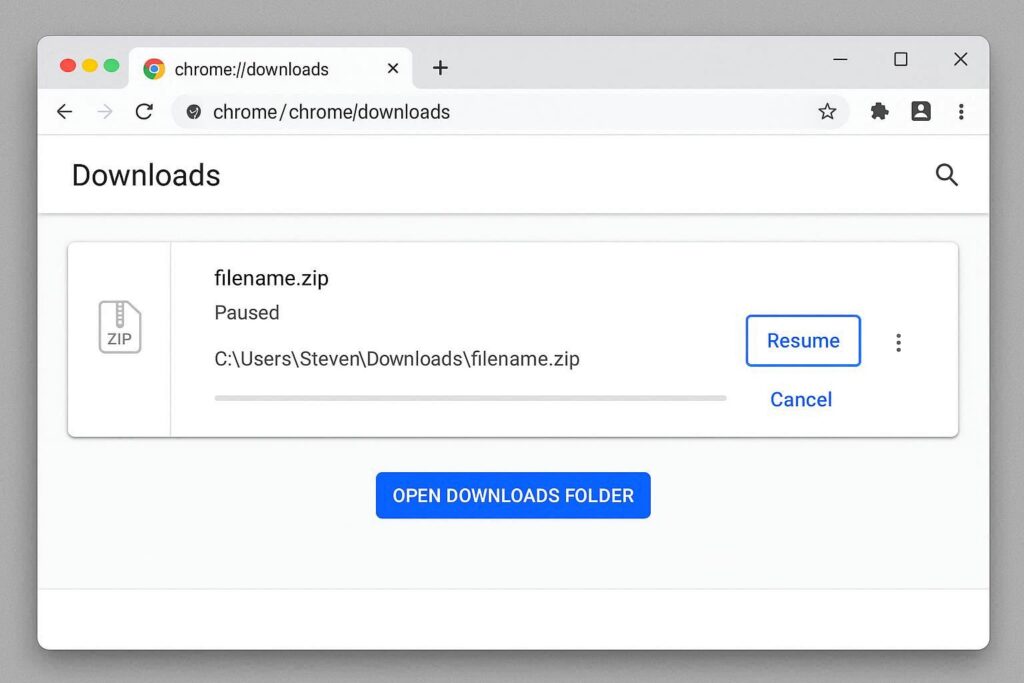
Method 1: Let the Download Finish (Best & Safest Method)
This is the recommended method.
Step 1: Open Google Chrome
Step 2: Press Ctrl + J (Windows) or Cmd + J (Mac)
Step 3: Find the paused or interrupted download
Step 4: Click Resume
Step 5: Wait until the download completes
Once finished, the .crdownload extension will disappear automatically, and the file will open normally.
How to Open a CRDOWNLOAD File That Is Stuck or Failed
If the download cannot resume, you can still try these methods.
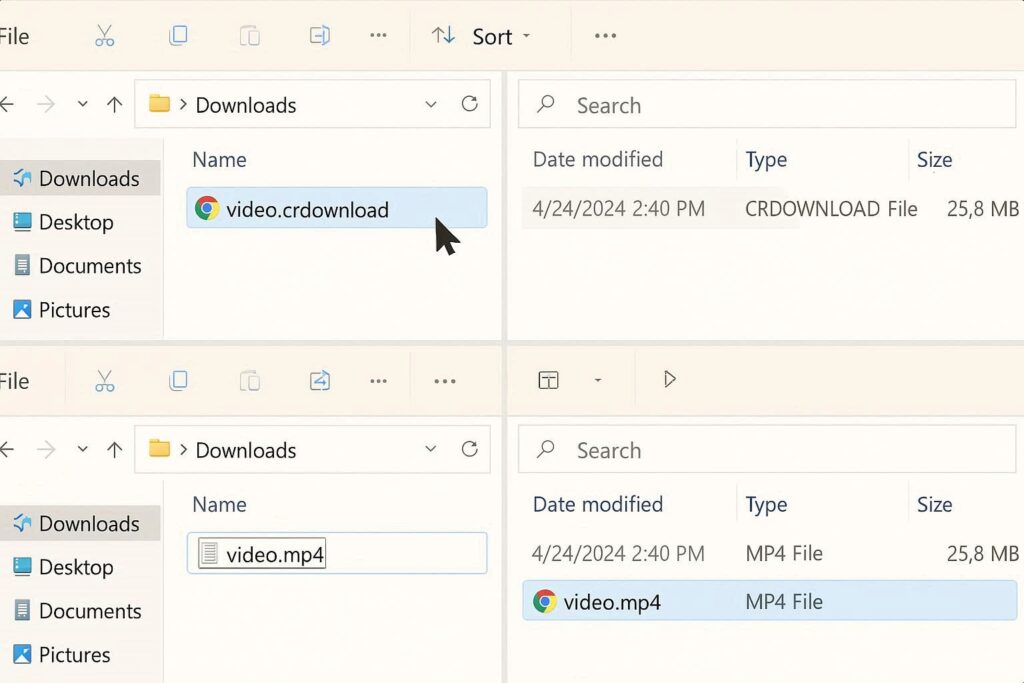
Method 2: Rename the CRDOWNLOAD File (Works Sometimes)
This works only if most of the file was already downloaded.
Step 1: Locate the .crdownload file
Step 2: Right-click → Rename
Step 3: Remove .crdownload from the file name
Step 4: Press Enter
Step 5: Try opening the file using the correct app
Example:
movie.mp4.crdownload → movie.mp4
⚠️ If the file is incomplete, it may open partially or not at all.
Method 3: Open CRDOWNLOAD Video or Audio Files
If the CRDOWNLOAD file is a video or audio file, you may still preview it.
Step 1: Install a media player like VLC
Step 2: Open the player
Step 3: Drag and drop the CRDOWNLOAD file into the player
VLC can sometimes play partially downloaded media files.
How to Open CRDOWNLOAD File on Windows
Windows cannot open CRDOWNLOAD files by default because they are incomplete.
Best options on Windows:
- Resume download in Chrome
- Rename the file (if nearly complete)
- Open media files using VLC
- Re-download the file if corrupted
How to Open CRDOWNLOAD File on Mac
Mac users face the same limitation.
Recommended steps on Mac:
- Resume download in Chrome (
Cmd + J) - Rename the file and test it
- Use Preview or VLC for media files
- Delete and re-download if the file fails
How to Convert a CRDOWNLOAD File
A CRDOWNLOAD file cannot be converted directly.
You must:
- Finish the download
- Rename it to the correct extension
- Then convert it using a normal converter
For example:
- Finish download →
video.mp4 - Then convert MP4 to MKV or AVI
Is It Safe to Open a CRDOWNLOAD File?
Yes, CRDOWNLOAD files are safe if they come from trusted downloads. However:
- Do not run renamed
.exefiles unless fully downloaded - Avoid opening unknown CRDOWNLOAD files from untrusted sources
- Always scan completed files with antivirus software
Common Problems and Fixes
CRDOWNLOAD File Won’t Open
Fix: Resume or re-download the file
CRDOWNLOAD File Stuck at 0 Bytes
Fix: Download failed; delete and download again
Chrome Closed and Left CRDOWNLOAD File
Fix: Open Chrome → Downloads → Resume
File Still Won’t Open After Renaming
Fix: File is incomplete or corrupted
CRDOWNLOAD vs PART File vs TMP File
| File Type | Browser |
|---|---|
| CRDOWNLOAD | Google Chrome |
| PART | Firefox |
| TMP | Internet Explorer / Edge |
All of these are temporary download files and work similarly.
Frequently Asked Questions
Can I delete CRDOWNLOAD files?
Yes. If the download is not needed or cannot resume, deleting the file is safe.
Can CRDOWNLOAD files contain viruses?
Not by themselves. Risk only exists if the final downloaded file is malicious.
Why does Chrome create CRDOWNLOAD files?
To prevent incomplete downloads from being mistaken as usable files.
Explained CR File Download Method:
A CRDOWNLOAD file simply means your download is not finished yet. The best way to open it is to let Chrome complete the download. Renaming or opening it manually should only be done when the file is nearly complete and from a trusted source.
Understanding how CRDOWNLOAD files work saves time, prevents confusion, and helps you avoid data loss or security risks.